
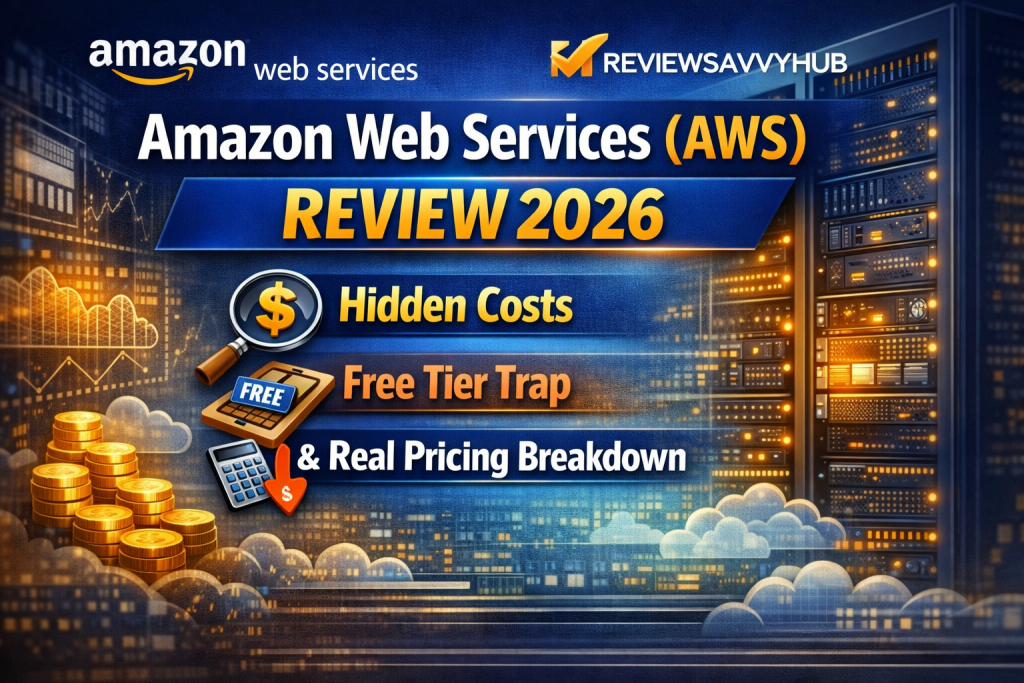
Amazon Web Services (AWS)
Review 2025
The world’s most dominant cloud platform has 30% global market share and 200+ services. But between the free tier that secretly charges and support plans that start at $29/month and scale to $50,000/month — how much of the “pay-as-you-go” promise actually holds up for real users?
⚡The 60-Second Verdict
⚡The Cloud That Charges You While You Sleep
Sarah is a freelance web developer based in Birmingham. She signed up for AWS to learn cloud skills — used the “free tier,” spun up an EC2 instance, ran it for a weekend, and then shut it down. Three weeks later, her bank sends a notification: Amazon Web Services has charged her £67.
She contacts support. After waiting four days and going through three different chat agents, she’s told the charges came from a NAT Gateway she accidentally left running ($0.045/hour × 720 hours = $32 before data processing fees) plus EBS snapshots she didn’t know existed. The support agent is polite. But the money doesn’t come back.
This is not a rare edge case. It’s a documented, recurring pattern — replicated across thousands of Trustpilot reviews, Reddit threads, and developer forums worldwide. AWS is the most powerful cloud infrastructure platform ever built. It runs 30% of the global cloud market. Netflix, NASA, and the UK’s National Health Service trust it. And yet the same platform that keeps mission-critical enterprise workloads alive for 99.999% of the year can silently drain a student’s account overnight without a single warning notification.
That contradiction — world-class infrastructure, chaotic billing experience — is the core tension this review is built to examine.
📈What Changed in 2025–2026
The cloud computing market crossed $400 billion in annual revenue in 2025 — its biggest milestone yet. AWS contributed the largest single slice at 29–30%, but the growth story is more complex than the headline number suggests.
AWS’s market share has been in slow decline for five consecutive years — from 33% in 2021 to 29% by Q3 2025. Meanwhile, Azure grew from leveraging its Microsoft enterprise ecosystem, and Google Cloud accelerated on the back of AI and Gemini infrastructure. For the first time in AWS’s history, the question “should we use Azure instead?” has a credible answer for many organisations.
On the product side, 2025 brought major support plan restructuring — the old Developer, Business, and Enterprise On-Ramp plans were all discontinued in December 2025. The new model: Business+ at $29/month minimum, Enterprise at $5,000/month minimum, and Unified Operations at $50,000/month minimum. The rebranding lowered entry prices on paper but quietly eliminated the affordable mid-tier plan most SMBs relied on.
GenAI-specific cloud services grew 140–180% in Q2 2025. AWS, Azure, and GCP are all racing for AI workload dominance. AWS invested $4 billion in Anthropic and launched Amazon Bedrock — but Azure’s OpenAI integration remains a stronger AI draw for many enterprises.
AWS committed £8 billion in UK infrastructure investment and projects a £14 billion GDP contribution by 2028. AWS London region (eu-west-2) remains one of the busiest regions globally. However, UK users face 20% VAT on cloud services unless they’re VAT-registered businesses.
Developer Support and classic Business Support were discontinued for new subscriptions in December 2025. If you were relying on the legacy $29/month Business Support tier, you may need to reassess. The new Business+ starts at the same minimum but has a different pricing structure.
☁️What Is Amazon Web Services?
Amazon Web Services is a subsidiary of Amazon.com, launched in 2006 when Amazon decided to commercialise the internal cloud infrastructure it had built to power its own e-commerce operations. Founded in Seattle, AWS is led by CEO Matt Garman (as of 2024) and operates as Amazon’s most profitable business unit — generating $29 billion in Q1 2025 alone, representing 60% of Amazon’s total operating profit despite being only 15% of total revenue.
AWS is not a hosting platform in the traditional sense. It’s an infrastructure-as-a-service (IaaS) and platform-as-a-service (PaaS) ecosystem with over 200 products across compute, storage, databases, networking, machine learning, analytics, security, IoT, and developer tools. It operates 117 Availability Zones across 37 global regions, with 3 more regions planned. Its flagship services include EC2 (virtual machines), S3 (object storage), RDS (managed databases), Lambda (serverless functions), and CloudFront (CDN).
The positioning AWS uses — “the infrastructure for everything” — is not marketing hyperbole. Companies as different as Netflix, Airbnb, Unilever, the NHS, Deliveroo, and countless government agencies all run critical workloads on AWS. The question for most potential users isn’t whether AWS is capable. It’s whether AWS is appropriate for their stage, budget, and technical capacity.
📢What AWS Claims About Itself
The following are AWS’s official marketing statements. No judgement has been applied here — this section presents claims only. The next section examines the gap.
“Pay only for what you use. No upfront costs, no long-term contracts. Start small and scale as you grow.”
“AWS Free Tier includes 750 hours of EC2 t2.micro per month, 5GB of S3 storage, and many other services — free for 12 months for new customers.”
“AWS delivers the most secure, extensive, and reliable global cloud infrastructure, with 99.999% availability for core services across multiple Availability Zones.”
“Whether you’re a startup or a large enterprise, AWS services help you build faster, scale effortlessly, and reduce costs.”
“AWS Business Support+ provides 24/7 access to AWS experts, AI-powered operational assistance, and 30-minute critical case response — starting at just $29/month.”
“Amazon Bedrock gives you the easiest way to build and scale generative AI applications with the broadest selection of foundation models.”
💰The Real Cost of AWS
| Cost Item | Real Cost | Trap Level |
|---|---|---|
| NAT Gateway (idle, no traffic) | ~$32/month per gateway | 🔴 HIGH |
| Data egress to internet | $0.09/GB (first 10TB) | 🔴 HIGH |
| Data transfer between AWS regions | $0.02–$0.09/GB | 🔴 HIGH |
| Unattached EBS volumes (after EC2 termination) | $0.10/GB/month | 🔴 HIGH |
| Idle EBS snapshots | $0.05–0.10/GB/month | 🟡 MED |
| Elastic IP (not associated with running instance) | $0.005/hr = ~$3.65/month | 🟡 MED |
| RDS automated backups beyond free tier | $0.095/GB/month | 🟡 MED |
| CloudWatch log storage | $0.03/GB ingested | 🟡 MED |
| Burstable EC2 (t-series) CPU credits exceeded | Variable, can spike 10× | 🔴 HIGH |
| UK VAT on all charges (non-VAT registered) | +20% on entire bill | 🔴 HIGH |
| AWS Marketplace third-party licensing fees | Not shown in cost estimator | 🔴 HIGH |
| Support plan (Business+) | $29/mo min — scales to 10%+ of bill | 🟡 MED |
| AWS Config (auto-enabled in some setups) | $0.003 per config item recorded | 🟢 LOW |
| S3 GET/PUT requests at high traffic | $0.005 per 1,000 requests | 🟢 LOW |
The AWS Free Tier does not prevent charges — it only provides limited usage credits. Any usage beyond those limits, or any service not included in the Free Tier, starts billing immediately. AWS does NOT send automatic warnings before charges accumulate. You must manually configure billing alerts. The AWS pricing calculator also does NOT include AWS Marketplace charges — meaning your actual bill can exceed any estimate you run.
🔬How AWS Actually Performs — Pattern Analysis
Pattern 1: Free Tier — The Gap Between Promise and Reality
The free tier exists. It works. But “free” requires surgical precision to maintain. The moment you spin up a resource and forget to configure a billing alarm, forget to delete a snapshot, or accidentally enable a service in a different region — you’re billed. This pattern repeats across Trustpilot and Reddit with startling consistency. Students experimenting for certifications, developers testing personal projects, and early-stage founders all report the same experience: charges that arrive without warning.
The structural issue isn’t dishonesty — it’s architecture. AWS was built for enterprise-scale users who have billing alerts set up, cost dashboards reviewed weekly, and cloud engineers on payroll. The same architecture applied to a student’s first account creates a billing minefield.
Pattern 2: Infrastructure Reliability — Genuinely Excellent
Here’s where AWS earns every star: the core infrastructure performance is outstanding. EC2 uptime, S3 durability (eleven nines — 99.999999999%), and the global network architecture are benchmarks the entire industry measures itself against. Enterprise users on G2 and TrustRadius consistently report years of operation with minimal downtime. One user with 17 EC2 instances over two years reported zero single infrastructure-related failure. AWS’s Load Balancer handles 400 billion weekly requests. When AWS infrastructure fails, it makes news precisely because it’s so uncommon.
Pattern 3: The Learning Curve Is a Real Business Risk
Multiple G2 and TrustRadius reviewers describe the AWS console as “overwhelming,” “fragmented,” and “not beginner-friendly.” Each service has a separate console. There’s no universal search across regions by default. IAM policy management in JSON syntax is genuinely complex. A 2-person startup using AWS without prior cloud experience isn’t just learning a tool — they’re taking on infrastructure risk. When something breaks at 2am, AWS’s free Basic Support provides documentation links and community forums. That’s all.
Pattern 4: Account Management Issues — A Recurring Crisis
Account lockouts, MFA recovery failures, and suspended accounts are among the highest-frequency complaints on Trustpilot. Several UK users report their accounts being frozen mid-operation with no clear explanation and support responses that take days. One business reported their domain remained down for over a week while AWS support failed to respond with a solution. Another user documented being locked out of their account for 30+ days due to an MFA issue, with email-only support offering no resolution. For businesses running production workloads, account access issues at this severity represent an existential risk.
Pattern 5: AI Services — Powerful but Expensive at Scale
Amazon Bedrock and SageMaker are real, capable tools. Enterprises using AWS for AI/ML report genuinely strong results — GPU scaling, integration with S3 and RDS, and managed Kubernetes via EKS. But AI workloads are where the cost explosion risk is highest. Token-based pricing, GPU instance costs, data ingress/egress between AI pipelines, and training compute can turn a $500/month architecture into a $5,000/month one inside a single sprint. Product Hunt reviewers specifically called out console complexity as a barrier to AI adoption.
📊What Users Actually Experience
What this data shows: AWS’s infrastructure reliability claim is the one that holds up strongest — enterprise users broadly agree the core platform is excellent. The “pay only for what you use” claim is partially true but materially misleading: users pay for what they use, but the definition of “use” is much broader than most people expect (idle NAT Gateways, forgotten snapshots, and background data transfers all count). The free tier claim has the largest gap — nearly 6 in 10 users in negative reviews mention unexpected charges during what they believed was a free-tier engagement. Support satisfaction is split sharply by tier: paid Enterprise users are generally positive, Basic and free-tier users are consistently dissatisfied.
🌍How AWS Is Experienced by Country
Top Praise: London region proximity, NHS and FinTech adoption. Top Complaint: VAT on cloud bills, account lockout support delays, billing shock for SMBs.
Top Praise: Reliability, breadth of services, strong enterprise support. Top Complaint: Billing complexity, unexpected charges for learners, console UX.
Top Praise: Certification pathways, developer community, regional data centres. Top Complaint: Support language barriers, billing shock for students and early startups.
Top Praise: GDPR compliance tools, Frankfurt region reliability, enterprise support quality. Top Complaint: Cost escalation at scale, complexity of multi-region setup.
Top Praise: APAC latency, Sydney region expansion, strong fintech adoption. Top Complaint: Support delays in APAC timezone, higher regional pricing vs US.
Top Praise: Data sovereignty options, healthcare and government compliance. Top Complaint: Cost unpredictability without FinOps tools.
💬What Real Users Are Saying
🔴 Billing Complaints
🟡 Product & UX Issues
🟢 Genuine Praise
⚖️Strengths and Weaknesses
🎯Strategic Assessment
AWS’s structural advantage is two decades of infrastructure investment, network effects, and ecosystem lock-in. No other provider comes close to 200+ integrated services. The sheer depth — from quantum computing to serverless to managed Kubernetes — means enterprises rarely need to leave the AWS ecosystem to find a solution. AWS’s early mover advantage in regions, compliance certifications (ISO, SOC 2, PCI-DSS, HIPAA), and the training-to-deployment pipeline (certifications, re:Invent, Marketplace) creates compounding retention that competitors struggle to break.
The billing architecture was designed for enterprises with dedicated FinOps teams — and it shows. Complexity that is manageable at scale becomes dangerous at entry level. The console experience hasn’t kept pace with competitors; Azure’s unified portal and GCP’s cleaner dashboard are genuinely better for new users. AWS’s enterprise TAM model also means that below the Enterprise Support tier ($5,000/month), personalised strategic guidance is simply not available. Smaller customers feel this gap acutely, and it pushes some toward simpler alternatives like DigitalOcean or Hetzner.
AWS’s investment in Amazon Bedrock and custom AI chips (Trainium, Inferentia) positions it strongly as AI compute demand explodes — GenAI cloud services grew 160% in 2025. The AWS partner ecosystem (40,000+ partners) creates significant upsell opportunity, particularly for mid-market companies that need managed services on top of raw infrastructure. Internationally, AWS’s expansion into Saudi Arabia, Malaysia, and Thailand opens high-growth markets where it has early-mover advantage. The UK government’s digital infrastructure agenda also creates public sector opportunity that AWS is actively pursuing.
Azure’s compound advantage — Microsoft 365, Teams, Active Directory, and OpenAI integration — is creating an enterprise gravity that AWS cannot replicate. For any organisation already on Microsoft infrastructure, Azure is the path of least resistance. GCP’s Vertex AI and BigQuery are winning AI-native startups that might have defaulted to AWS five years ago. Meanwhile, the rise of CoreWeave and specialist GPU cloud providers threatens AWS’s position specifically in AI training workloads, where cost and performance matter more than ecosystem breadth. And on the low end, Hetzner, DigitalOcean, and Fly.io offer far simpler, cheaper alternatives for workloads that don’t require AWS’s scale.
🎯Is AWS Right For You?
🛡️How to Use AWS Without Getting Burned
If you’re going to use AWS — and for many workloads, you should — here is the only rational approach to avoid the patterns that destroy people’s bills and trust.
🧭Instant Decision Clarity
📏RSH Savvy Meter™
🏁The RSH Final Verdict
The AWS free tier is a marketing mechanism, not a product promise. It works — partially, temporarily, and only if you understand the boundaries precisely. For anyone approaching AWS without prior billing experience, the free tier is genuinely hazardous. The combination of no default billing alerts, silent background charges, and multi-day support delays for billing disputes means the cost of getting it wrong is real and recurring. If your primary use case is learning, there are safer entry points: AWS Educate, or alternative platforms like DigitalOcean where the billing model is far more transparent.
For funded organisations with cloud expertise in-house, AWS at the paid tier is genuinely excellent — and often the only rational choice at enterprise scale. The infrastructure reliability, compliance toolkit, global reach, and ecosystem depth are unmatched. The Enterprise Support TAM model, when it works well, is genuinely valuable. The Savings Plan model rewards commitment with meaningful cost reductions. If you are running production workloads at scale, AWS earns its reputation.
🔎Editorial Transparency
This review was produced independently by ReviewSavvyHub. We have no commercial relationship with Amazon Web Services, AWS, or Amazon.com. We received no sponsorship, free product access, commission, or any other form of compensation from AWS or its affiliates for this review.
Analysis is based on approximately 1,800+ reviews collected from Trustpilot, G2 (17,610 total AWS product reviews), TrustRadius, Gartner Peer Insights, Product Hunt, Reddit (r/aws, r/devops), and HostAdvice. Market share and financial data sourced from Synergy Research Group, Statista, HG Insights, and AWS earnings reports. Pricing data sourced from aws.amazon.com as of March 2026.
ReviewSavvyHub is a pro-consumer clarity platform. Our goal is to help real users make better decisions — not to damage or promote any company. Last updated: March 2026.